Settings
Random Seed
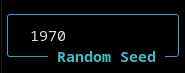
AI Hydra is fully deterministic and the random seed for a simulation run is visible and can be set in the TUI.
Move Delay
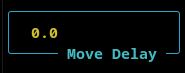
When the a simulation is not running in turbo mode, the movement of the snake is too fast to see clearly. The move delay introduces a delay between steps that slows the simulation down.
Config Settings
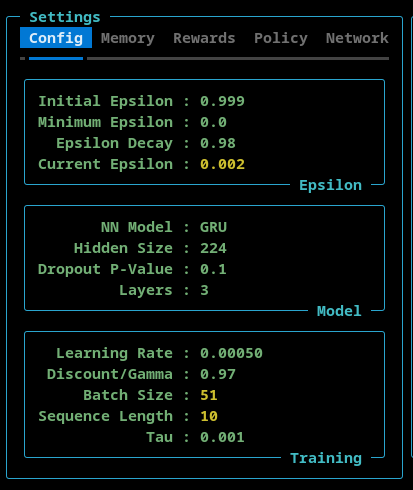
The Config settings tab allows the user to set:
- Epsilon - Initial, minimum, and the epsilon decay rate. The current epsilon value is also shown here
- Model - The model type (Linear, RNN, or GRU), the number of nodes in the hidden layers, the p-value of the model’s dropout layer, and the number of layers is configurable here.
- Training - The learning rate, discount/gamma and tau settings can be set here. The current batch size and sequence length (as set by the ATH Memory) are displayed here.
IMPORTANT NOTE: The different models (Linear, RNN, and GRU) had different default values associated with them. When you select a model from the NN model dropdown menu, the defaults for that model are loaded into the TUI. So, if you want a custom setting you must do that after you select the model type.
Memory Settings
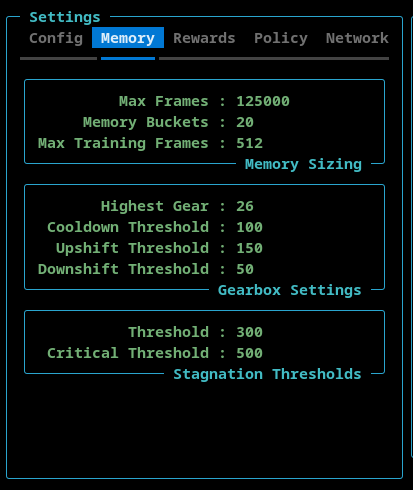
The Memory tab allows the user to configure the ATH Memory.
- Memory Sizing
- The Max Frames sets the maximum number of stored frames. The ATH Memory stores complete games. When the totaly number of frames exceeds this value, the oldest game is deleted from memory.
- The Memory Buckets is a read-only setting that shows how many memory buckets are used.
- The Max Training Frames sets the maximum number of frames (sequnce length * batch size) used during training.
- Gearbox Settings
- The Highest Gear can be set here to limit the sequence length and batch size.
- The Cooldown Threshold determines the minimum number of episodes that must be executed before a gear shift can occur.
- The Upshift Threshold and DownShift Threshold determine when the ATH Memory shifts up or down, respectively. This number is the total number of frames stored in the last three memory buckets.
Rewards Settings
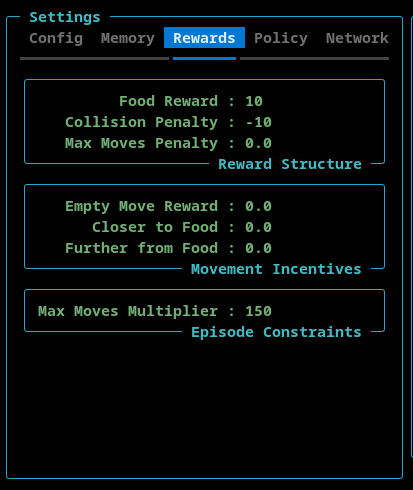
- Reward Structure - This section contains the reward that is allocated to the AI when the snake finds food, hits the wall or itself, or exceeds the maximum number of moves.
- Movement Incentives - This section contains rewards that can be assigned for moving into an empty square, moving towards the food, and moving away from the food.
- Max Moves Multiplier - This setting is used to configure the maximum number of moves the AI can make before the game ends. This is to avoid games where the AI circles endlessly. The maximum number of allowed moved is calculated by multiplying the length of the snake by this max moves multiplier.
Policy Settings
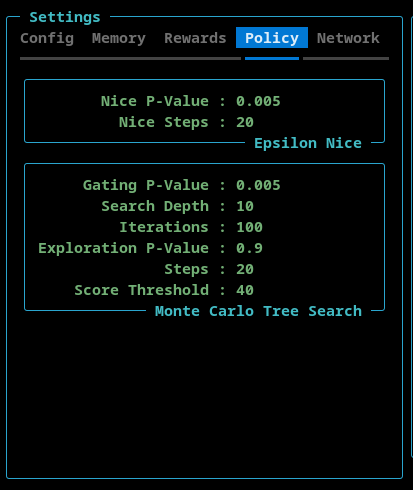
This tab contains settings for EpsilonNice and the Monte Carlo Tree Search features.
EpsilonNice
This policy execute a configurable number of steps in a random direction such that the move does not result in a collision (if possible).
- Nice P-Value - The probability that the EpsilonNice policy will be activated.
- Nice Steps - The number of consecutive game steps that will be executed using the EpsilonNice algorithm.
Monte Carlo Tree Search
This policy implements a limited Monte Carlo Tree Search (MCTS). The goal is not to replace the neural network, but to selectively enrich the training data in complex situations.
By design, MCTS operates sparingly and in bursts.
A burst is a short sequence of consecutive steps during which decision-making is temporarily delegated from the neural network to the MCTS. Outside of these bursts, the system behaves normally.
- Gating P-Value - This is the probability that the MCTS policy is activated.
- Search Depth - The maxiumum number of steps, into the future, that simulation looks.
- Iterations - The number of MCTS simulations performed per decision.
- Each iteration expands and evaluates part of the search tree.
- Higher values → more accurate action selection.
- Exploration P-Value - The exploration constant used in the UCB (Upper Confidence Bound) formula
- Controls the balance between:
- exploiting known good actions (lower values)
- exploring less visited actions (higher values)
- Controls the balance between:
- Steps - The length of an MCTS burst.
- Once triggered, MCTS remains active for this many consecutive steps.
- Enables MCTS to guide short action sequences, not just individual moves.
- Score Threshold - A game must have achieved or surpassed this value for the MCTS to tigger.
IMPORTANT NOTE: If the EpsilonNice algorithm is active, then the MCTS will not trigger.
Network Settings
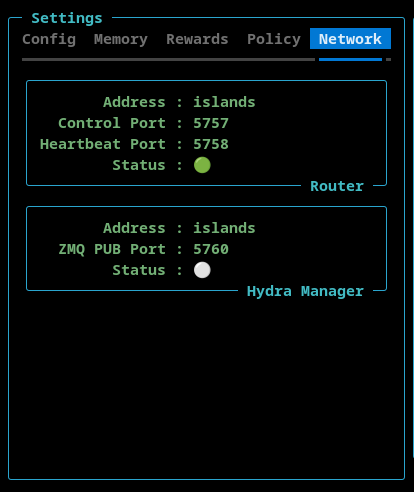
This section shows the hostnames and port numbers that AI Hydra is using. These can be configured during startup using command line switches.